What's New in Cumulus: Skills, Spreadsheets, and AI That Finishes the Job
Two months of building at Suprvisr: reusable Skills that run whole tasks on their own, a Skill Creator that writes them with you, skill imports from GitHub, and spreadsheets you can question and build in chat. Plus how Execulink Telecom's staff use Cumulus every day.
Weekly newsletter
Prefer the TL;DR delivered automatically? Subscribe for the early week drop.
Subscribe to the weekly blog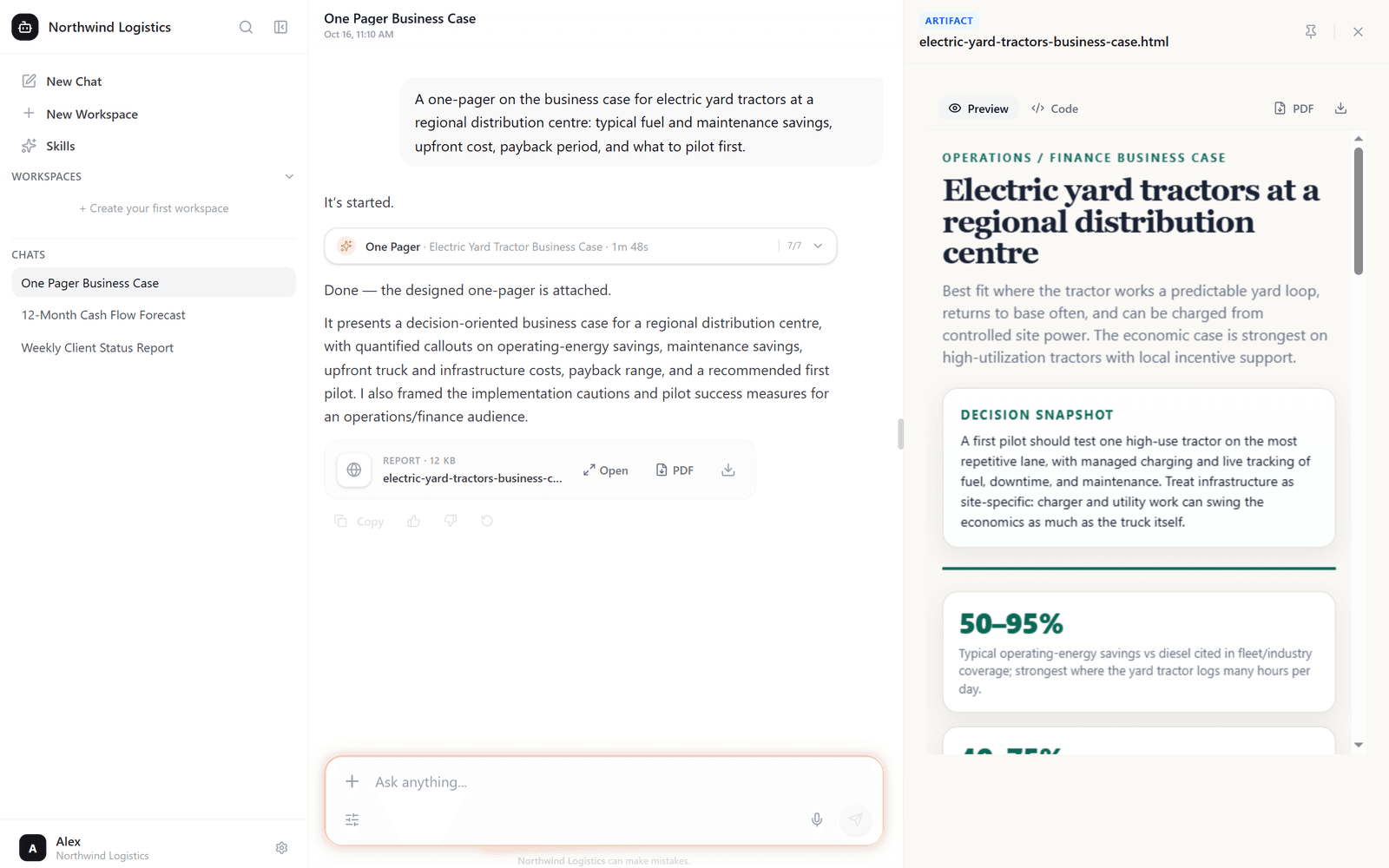
Ask most AI tools for help and you get a good paragraph. Then the real work starts: copying it into a document, checking it against the right files, formatting it the way your manager likes, and doing it all again next week. We spent August, September and October closing that gap.
In this update: Skills, the reusable playbooks that turn how your team works into something Cumulus can do on request. The Skill Creator, which builds a skill with you in a short conversation. Skill imports, so you can bring in skills that already exist. Background runs that work through a whole task and deliver a finished report. Spreadsheets you can question and build. And a look at how Execulink Telecom's staff use Cumulus every day.
Skills: teach Cumulus how your team works, once
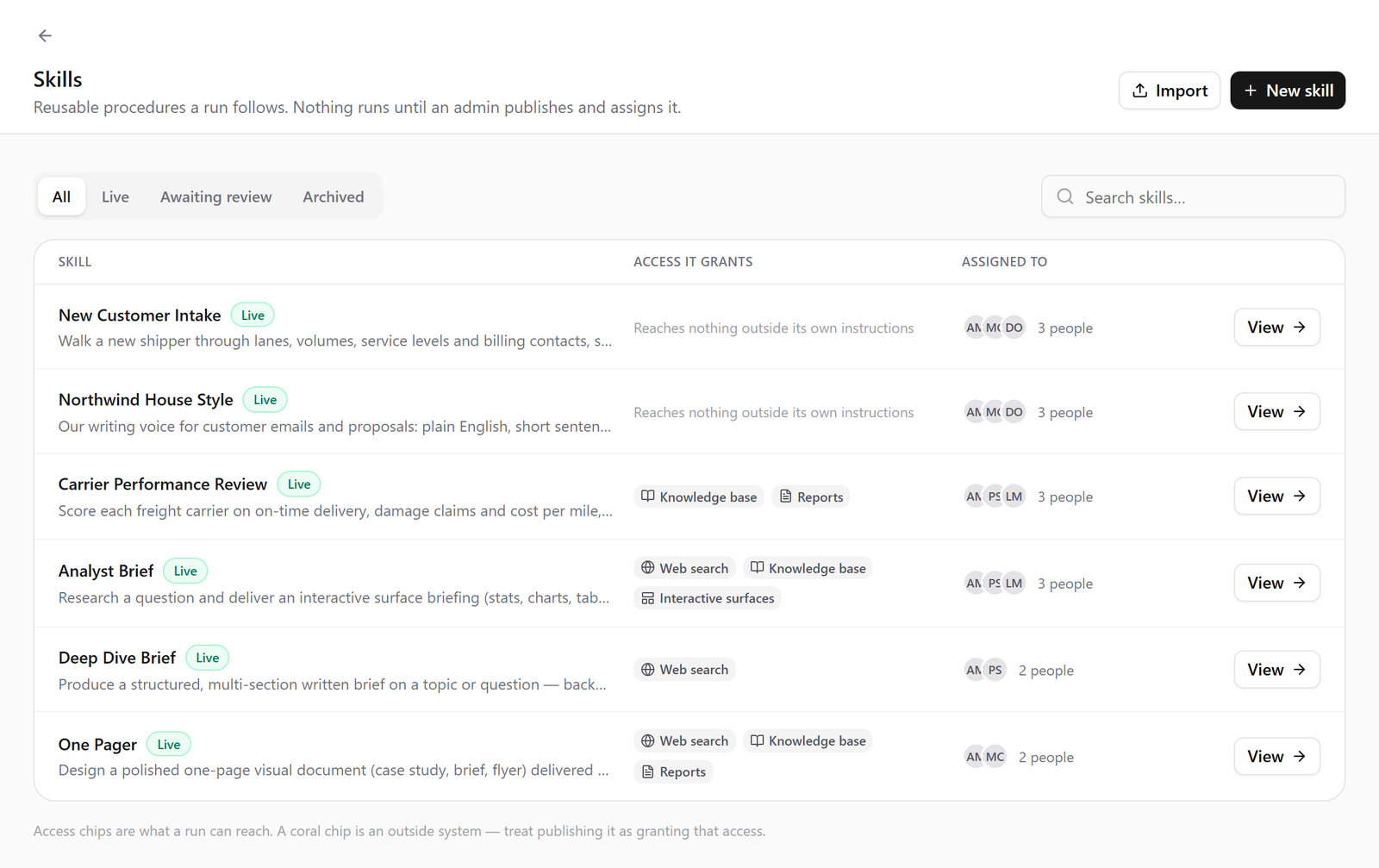
Every team has routines that live in someone's head: how a weekly client update is laid out, what goes into an account review, which documents to check before quoting a price. A Skill writes that routine down once: the steps, the sources to use, and what a good result looks like. After that, anyone on your team can run it.
Pick a skill from the menu in chat, or just describe what you need, and Cumulus follows the playbook instead of improvising. The new hire gets the same quality as your most experienced person, and the experienced person stops answering the same question every Monday.
- Shared across your organization. Admins publish skills for everyone, or for the departments that need them. Anyone can draft one and send it for approval.
- Works with your own information. Skills draw on the SharePoint sites, Google Drive folders and connected tools you already use, and only ever see what the person running them can see.
- Runs in chat or on its own. Some skills guide a conversation step by step. Others take the task away and come back when it's done.
The Skill Creator writes the skill with you
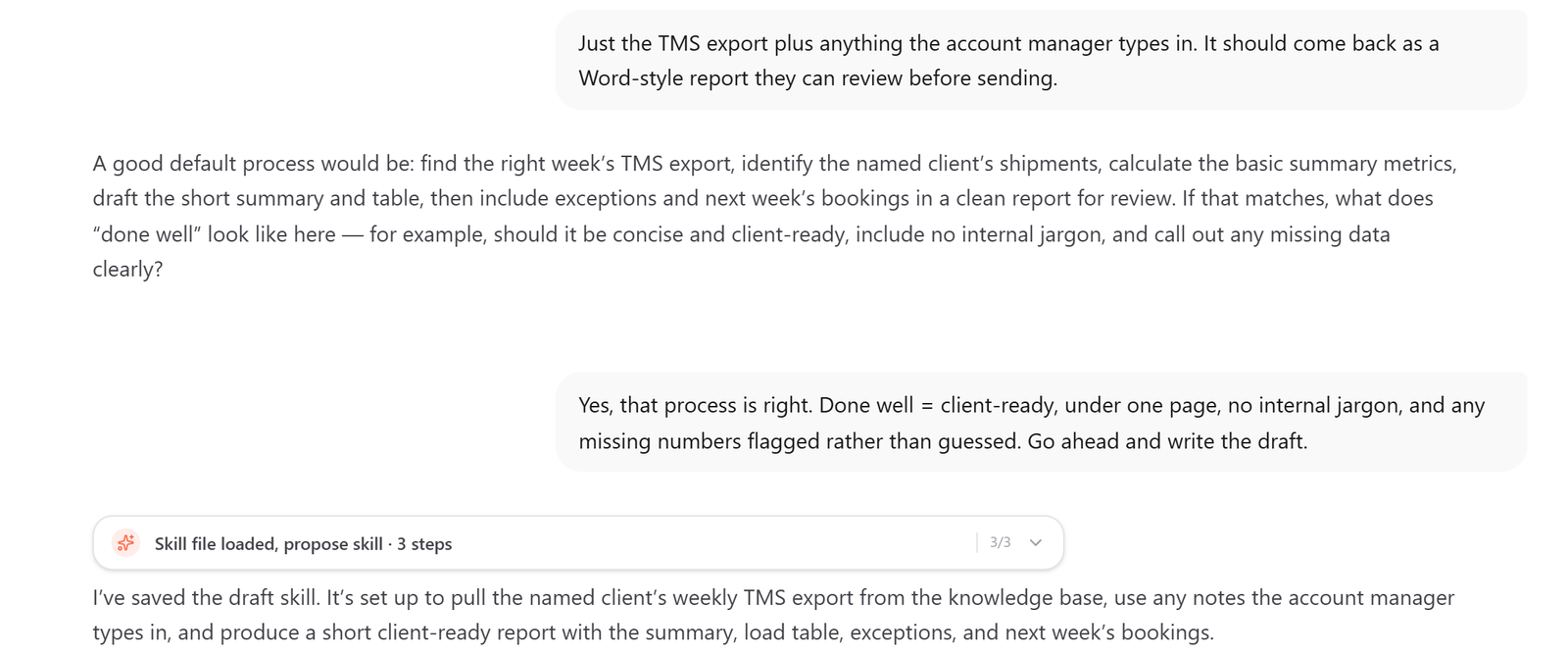
You shouldn't need to be technical to build one. The Skill Creator interviews you the way a good colleague would, one question at a time: what is the task, who is it for, where does the information come from, and what should the finished result look like. Then it picks the tools the skill needs and writes it for you.
A few minutes of conversation becomes a playbook your whole team can use, and you can open it and adjust it whenever the process changes.
Import skills from GitHub, a file, or a whole collection
Cumulus skills use the open Agent Skills format, the same SKILL.md files a growing community already publishes and shares. That means you don't have to start from scratch.
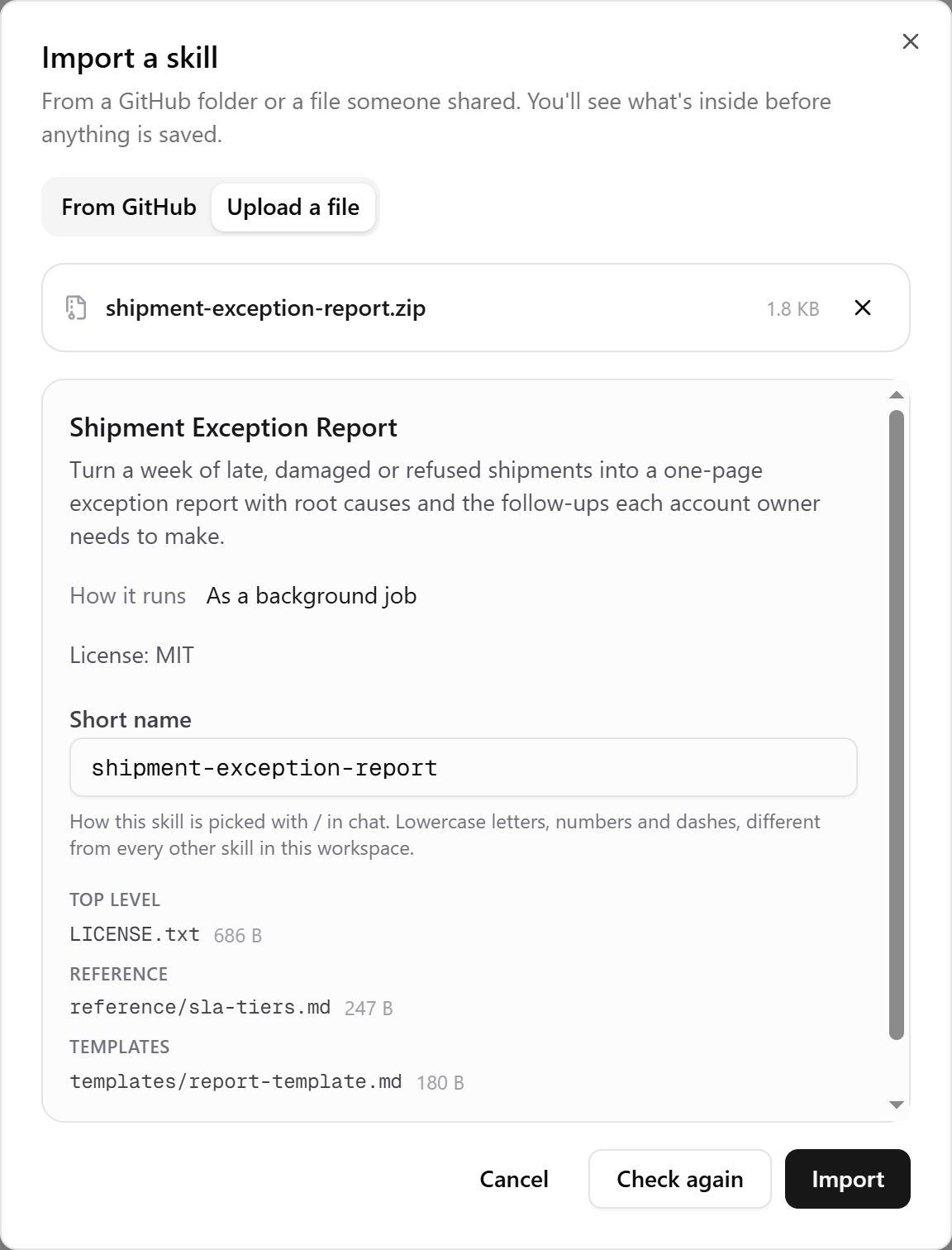
- Upload a single SKILL.md file, or a zip or folder holding a whole set of skills.
- Paste a GitHub link and import a skill straight from the repository.
- Before anything is added, Cumulus checks the import and shows you a plain report: what's inside, which tools it uses, and any licence terms you should know about.
Your team's best practices, and the best practices of everyone else, become something Cumulus can act on.
Hand off the whole task, get back a finished deliverable
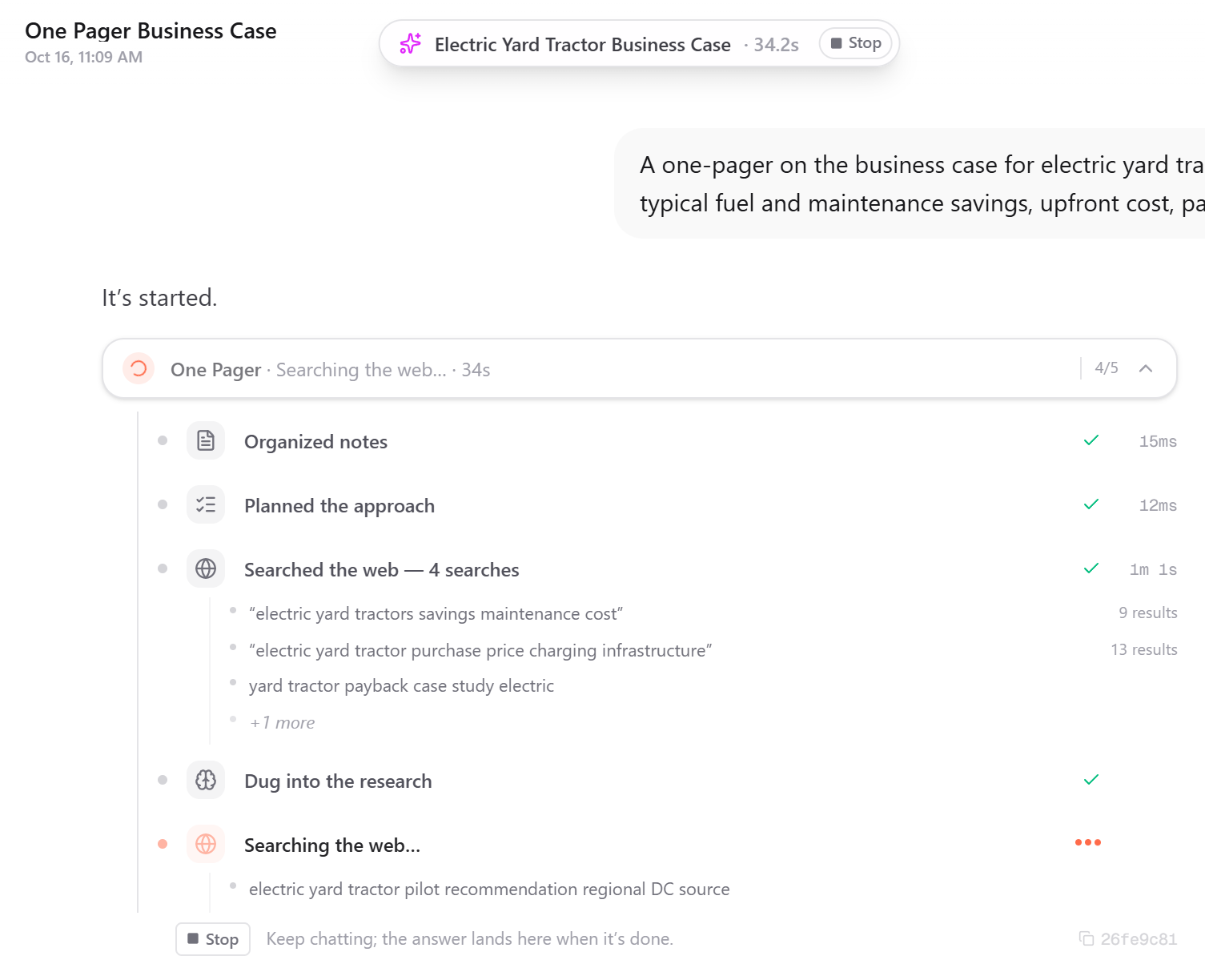
Some work takes more than one answer. A client briefing means reading a dozen files, checking the account history, pulling the latest numbers and writing it up. With background runs, you hand the task to Cumulus and get on with your day.
It works through the skill step by step, reading your files and connected systems as you, and shows its progress as it goes. When it's done, you get a finished deliverable, such as a formatted report you can open, download as a PDF, and send.
Every run is checked against what the skill says a good result looks like. If something is missing, Cumulus goes back and fixes it before handing it over. If it needs something only you know, it pauses and asks rather than guessing. And because the run is logged step by step, you can always see where every fact came from.
Pair a skill with a schedule and the Monday report simply arrives on Monday.
The goal isn't a smarter chatbot. It's fewer of those small tasks that eat your day: the report, the follow-up, the summary nobody wants to write. Cumulus does them the way your team does them, and shows its work.
Ask your spreadsheets questions. Then have Cumulus build the next one.
Drop an Excel or CSV file into a chat and ask it anything: which region is behind target, what changed since last quarter, who the top ten accounts are. Cumulus reads the whole sheet, even the hand-built ones with title rows, merged headers and totals scattered around, and answers from your actual data. It also tells you plainly if part of a file couldn't be read, so you never get a confident answer built on half a spreadsheet.
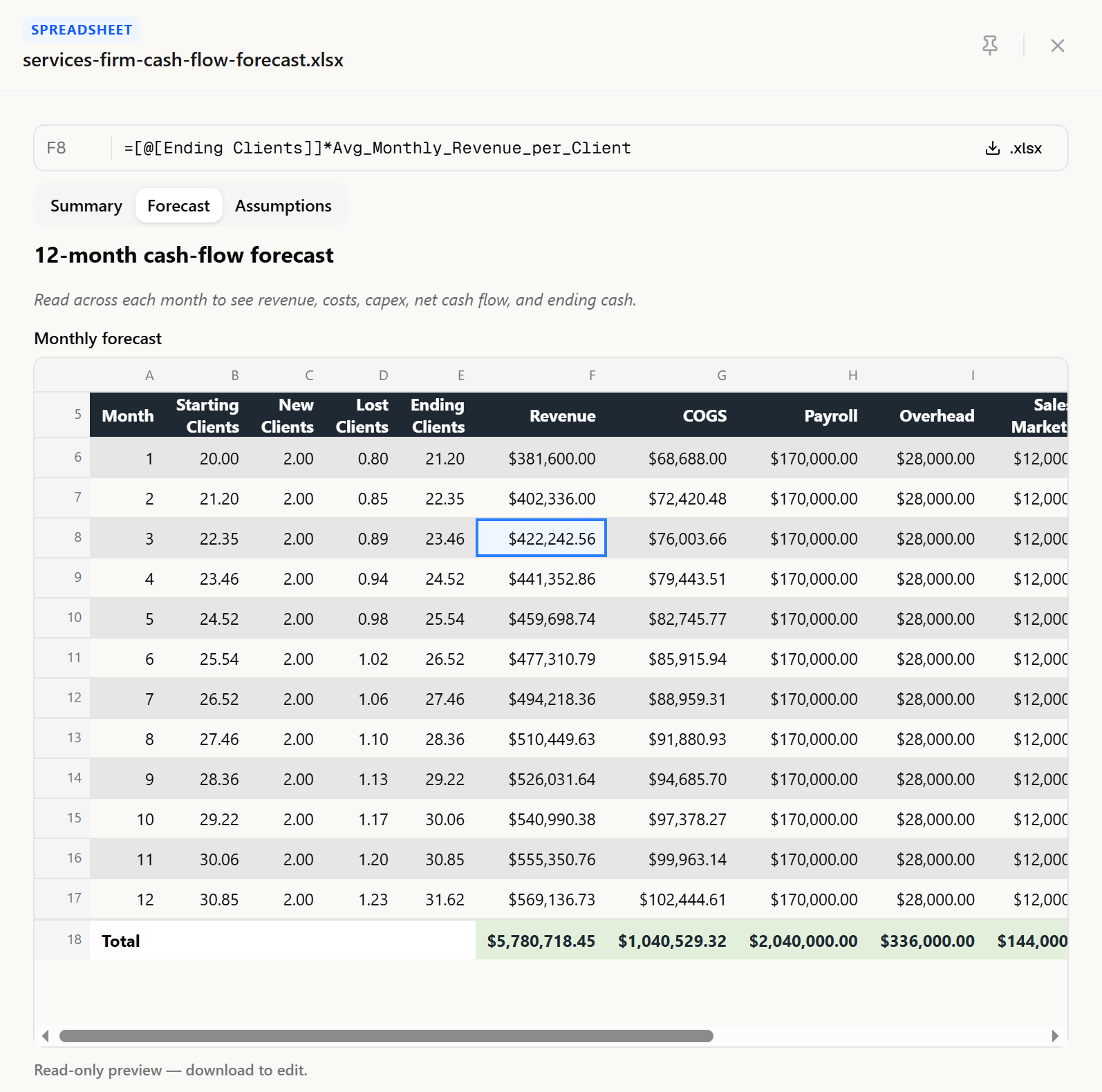
Now it can build them too. Ask for a budget, a cash-flow forecast or a pricing model and Cumulus produces a real Excel workbook, not a picture of one:
- Live formulas, so the numbers update when you change an assumption.
- An inputs sheet with units, sections and dropdowns, kept separate from the calculations.
- What-if tables, highlighted results, and a clean, consistent house style.
- A preview right beside the chat, plus edits on request ("add a column for margin") and one-click refresh when you upload a newer version of the source data.
The workbook builder is reaching every Cumulus workspace this month, and skills can produce spreadsheets as part of a run, so the forecast can arrive alongside the written briefing.
Better answers from the files you already have
- Scanned documents are searchable. Scanned PDFs in SharePoint are now read and indexed, so the old signed contract or the photographed policy finally shows up in answers.
- Web answers show their sources. Web research was rebuilt so answers link to the pages they came from, and you can check them yourself.
- Google Drive syncs whole drives reliably, and keeps up with bursts of edits.
- Simpler admin. Admins can deactivate and reactivate team members, and a deactivated person's scheduled tasks stop running on their behalf.
Execulink Telecom: AI as an everyday work habit
Execulink Telecom, an Ontario internet, TV and phone provider, runs Cumulus as Execulink AI in its own environment, connected to its SharePoint and its customer account system. Here is what September looked like, measured from the platform's own records.
- Used across the company. 88 people sent 2,426 requests across 333 conversations in September.
- Deeper use every year. Each active person now sends about 28 requests a month, up from 19 a year ago.
- A habit, not a novelty. 12 people used it on ten or more separate days in the month.
- Grounded in Execulink's own knowledge. 18 SharePoint sites stay in sync with zero errors, alongside more than 3,000 documents carried over from its previous platform.
How employees use it. The biggest use is communication: customer emails, outage notices and internal announcements drafted and polished in seconds. Next comes technical troubleshooting across fibre, hosted phone, modems and number porting, where staff talk a problem through with an assistant that knows the company's own documentation. Team leads use it for shift schedules, coaching and performance reviews. Others turn to it for spreadsheets, SOPs and pricing questions.
The account work is where it really pays off. With a customer about to call, staff ask for a quick catch-up on the account: status, recent tickets and open issues in one view. They ask whether something ever happened on an account, or for a plain explanation of a bill. Into October, customer experience staff have been running a standard repeat-caller review on each account, assessing every interaction against the same checklist. That is exactly the kind of routine Skills turns into a one-click task.
Conversations at Execulink average more than seven back-and-forth turns. People don't ask once and leave. They work through a problem with it, the way you would with a capable colleague.
Coming soon
Next up: diagrams and flowcharts drawn straight into chat replies, and more ready-made skills for the routines every team shares. If there's a task your team repeats every week, tell us. It's probably a skill waiting to happen.
Put Cumulus to work for your team
Bring a routine your team repeats every week and turn it into a skill on day one. Skills, spreadsheets and background runs are included. No credit card required.
Rolling it out across a whole company, or want it running in your own environment like Execulink? Talk to our team, or see everything Cumulus can do.